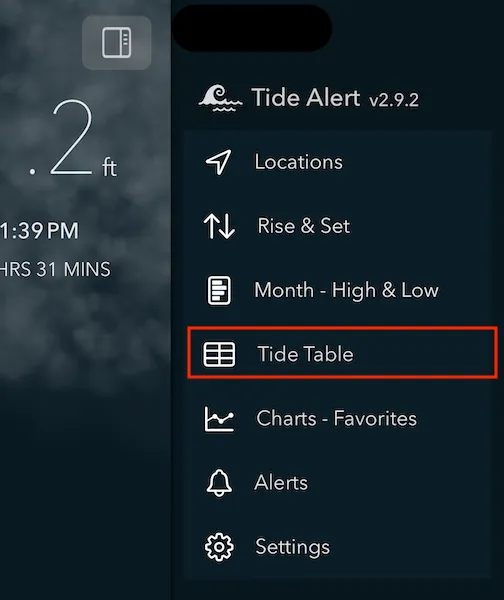
Choose 'Tide Table' from menu to view all the tide events in list format.
Tap the filter button to open the filter options.
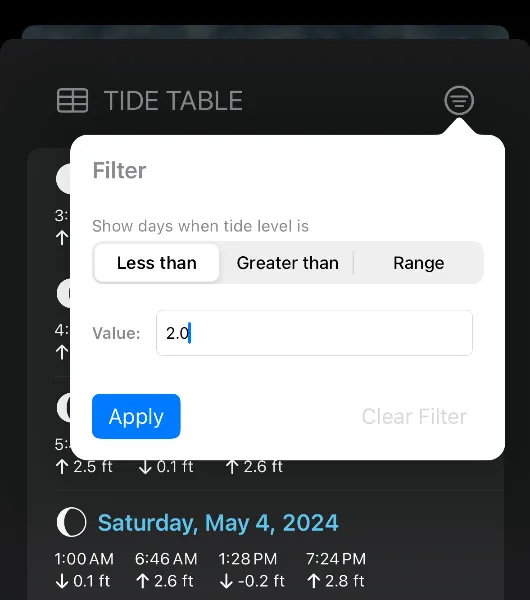
To filter the tide events, enter the tide level in feet in the text field. You can choose between 'Less than' or 'Greater than' or 'Range' filter.
- 'Less than' filter is useful for matching days when low tide is less than given tide level.
- 'Greater than' filter is useful for matching days when high tide is greater than given tide level.
- Range filter is great option to match either High tide or Low tide filter values. Use this when you want to match days when high tide is less than certain value or low tide is greater than certain value.