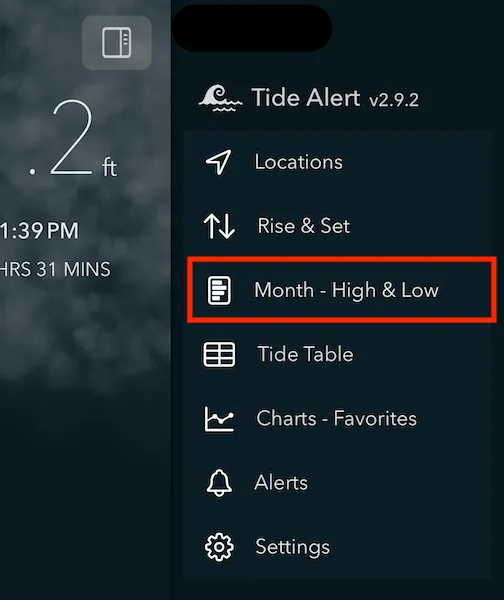
Finding the highest and lowest tide of the month can help immensely in planning your trips in advance.
Simply tap on on the Month - High and Low option in the menu.
The chart below represents the highest and lowest tide of each day as a bar. The blue bar represents the high tide and the orange bar represents the low tide. The intersection point of these two bars is 0 feet. On days when low tide is above 0 feet, the orange bar extends to the right side.
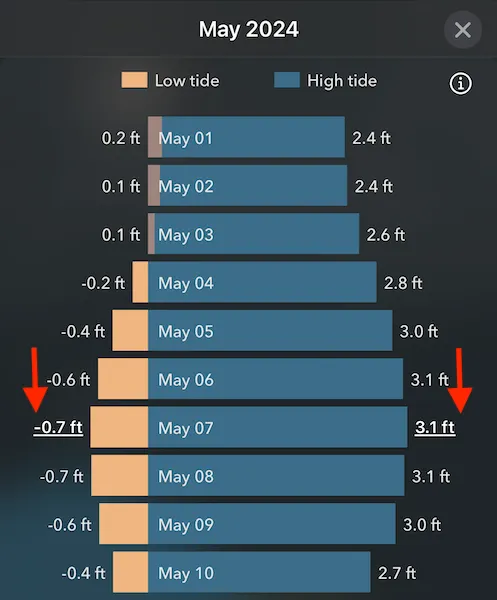
Note the highest tide of the month and the lowest tide of the month are highlighted with a underline.
You can also tap on the bar to switch to that date.